Lite Firewall local demo
A throwaway harness for poking at the firewall in a browser. Demonstrates all three response modes (allow, block, challenge) and both built-in challenge providers (math and altcha) side by side, and ships a production-shaped nginx → php-fpm stack so you can run perf experiments against something that looks like a real deployment.
TL;DR — composer shortcuts
| Command | What it does |
|---|---|
composer demo | PHP built-in server, single-process, http://localhost:8000. |
composer demo:workers | Same as composer demo but with PHP_CLI_SERVER_WORKERS=8 for concurrency. |
composer demo:perf | nginx + php-fpm via Docker, http://localhost:8000. |
composer demo:perf:restart | Restart only the php-fpm container (clears stale opcache after edits). |
composer demo:perf:down | Tear down the perf stack. |
The longer-form invocations and tuning knobs are documented below.
Routes
The config keys rules off the URL so behavior is identical on any networking setup:
| Path | Result |
|---|---|
/ | Allowed — nothing matches. |
/admin | Blocked — a response: block URL plugin returns 400 with the configured banning message. |
/secure | Challenged via the math provider. Solve "What is A + B?" → 60s pass cookie (fw_challenge_pass). |
/secure-altcha | Challenged via the ALTCHA provider. The widget solves a SHA-256 proof-of-work automatically → 60s pass cookie (fw_challenge_altcha_pass). |
What each route looks like
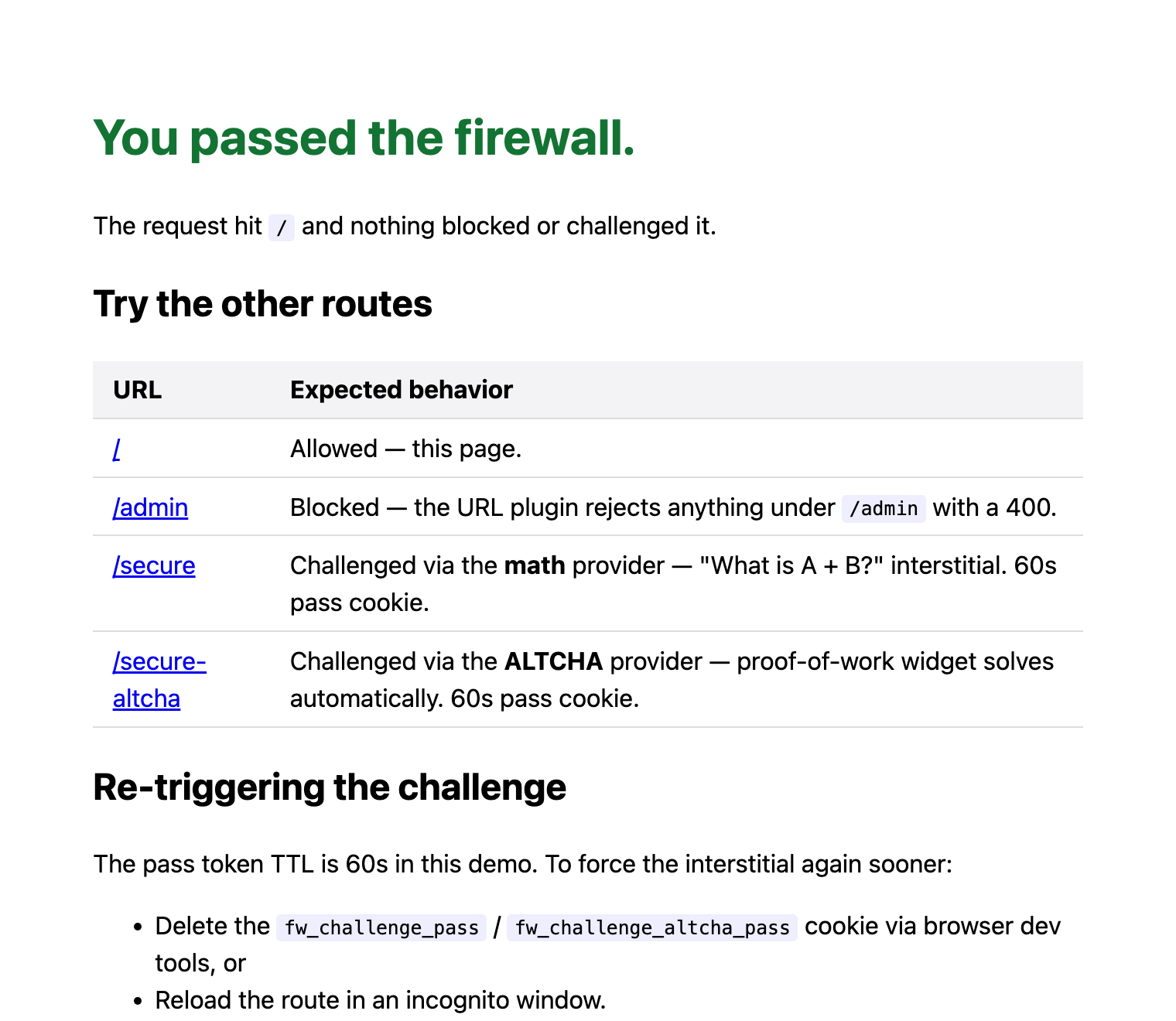

The message text comes from global.banning_message in example/demo/config.yml. The trailing identifier is the {{request.id}} placeholder — see Banning Message for the full placeholder list.
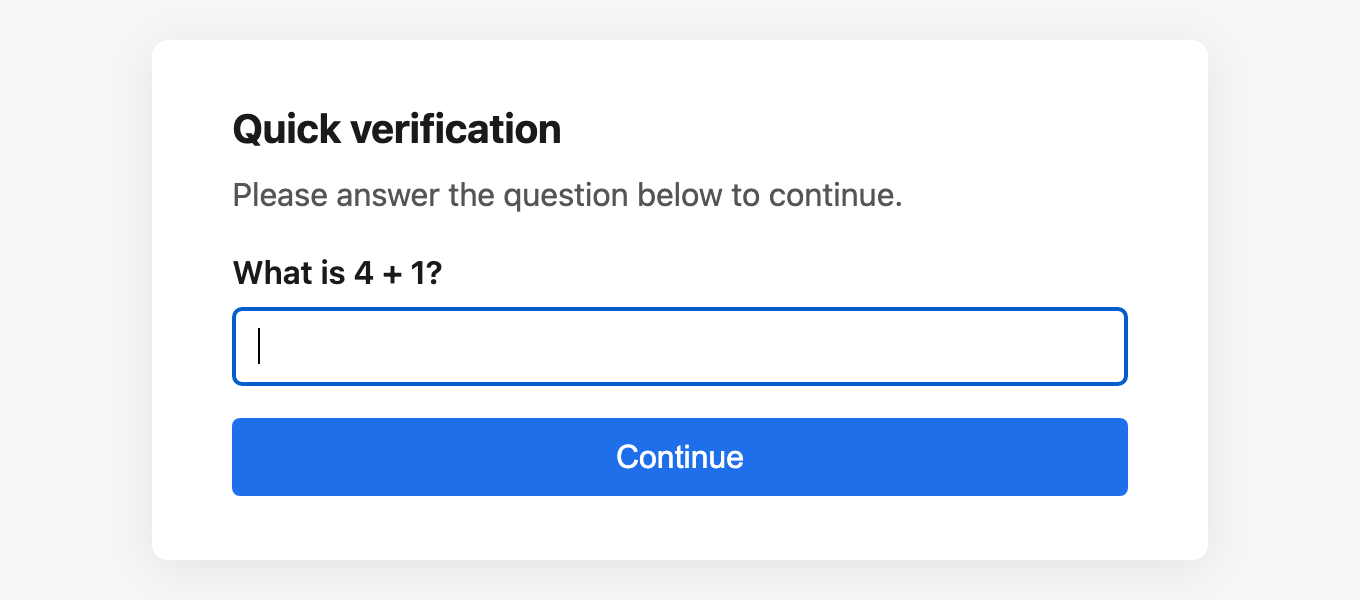
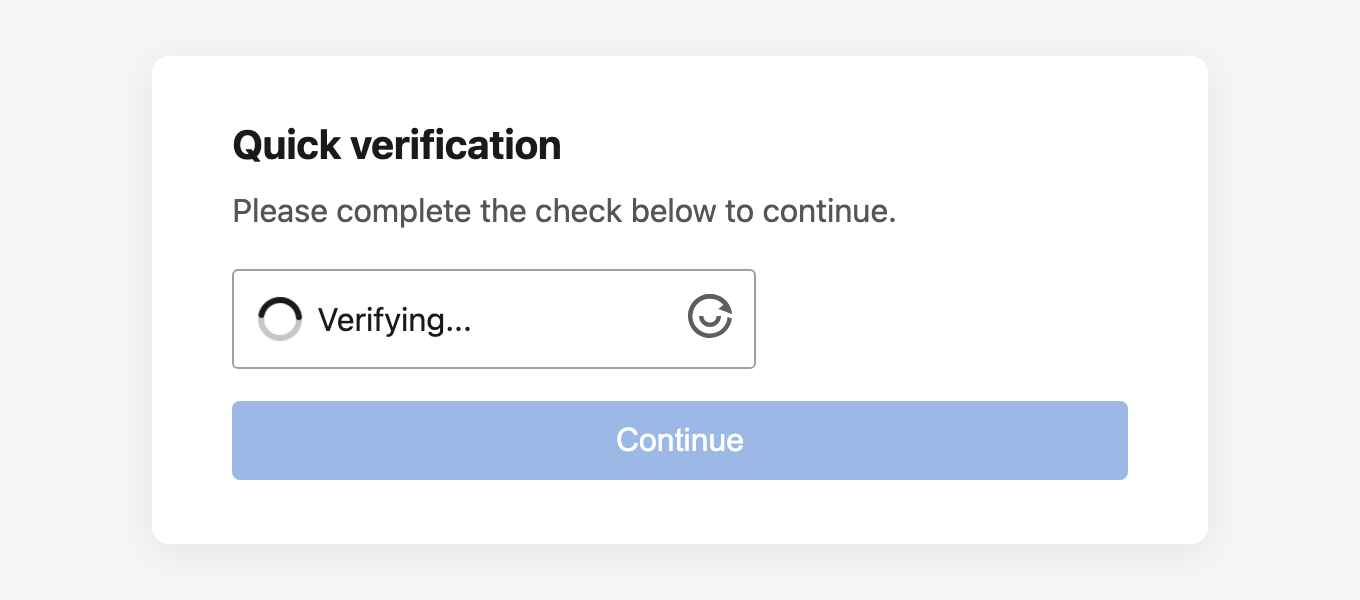
Blocks are sticky
Hitting /admin writes your IP to the demo's FileStorage, so the next request to any route is rejected by the blocklist before plugins run. Run composer demo:reset between experiments to start clean.
Only one challenge.provider is configurable per Firewall instance, so the demo ships two configs (config.yml for math, config.altcha.yml for ALTCHA) and index.php dispatches between them based on the request path. The two pass tokens live in distinct cookies and submit paths so they coexist in one browser session.
Note that the distinct cookie names are ergonomics, not a security boundary. The two instances share a challenge.secret, so what actually stops a token earned on the easy math challenge from opening /secure-altcha is the aud claim, which defaults to the provider name — see Scoping tokens across instances. Try it: solve /secure, copy fw_challenge_pass into fw_challenge_altcha_pass, and /secure-altcha still challenges you.
Option 1 — PHP built-in server (quick)
The -t example/demo flag scopes the docroot so only example/demo/index.php is reachable — without it the built-in server would happily serve composer.json, src/, etc. as static files. nginx (Option 3) already scopes its root via nginx.conf.
Single process by default. Set PHP_CLI_SERVER_WORKERS for multi-worker concurrency (modern PHP only, marked experimental):
How URL rewriting works
All three stacks route every request to index.php (front-controller pattern), with the original path preserved in REQUEST_URI. So /admin/users/123/delete invokes index.php, and $_SERVER['REQUEST_URI'] is /admin/users/123/delete — which is what the URL plugin matches against. No .htaccess or app-side rewriting needed.
Open http://localhost:8000.
Option 2 — Docker (matches Option 1, hot-reloaded)
Bind-mounts the repo and runs the built-in server with 8 workers by default. PHP_CLI_SERVER_WORKERS=32 docker compose up to crank it.
Option 3 — Docker, nginx → php-fpm (production-shaped, for perf)
This is the realistic stack:
nginx:alpinefronts the request, routes everything throughindex.phpvia FastCGI.php:8.4-fpm-alpineruns the firewall under php-fpm with a tuned pool (seewww.conf— defaults to 64 max children).- Source is bind-mounted, so code edits hot-reload (you may want
docker compose -f docker-compose.perf.yml restart phpif opcache caches old bytecode).
Tuning levers:
| File | Knob | Default |
|---|---|---|
www.conf | pm.max_children | 64 |
www.conf | pm.max_requests (worker recycle) | 500 |
nginx.conf | nginx access logs | on (uncomment access_log off to silence) |
Perf testing
The challenge feature has two distinct hot paths:
- Token verification (one HMAC-SHA256 + JSON decode per request that carries a valid token). This is what production traffic exercises once visitors have passed the challenge.
- Interstitial render + verify (HMAC sign + random_int + verify on POST). Only the very first request from a new visitor hits this.
To exercise #1 cleanly, pre-mint a token, then hammer /secure with it as a cookie:
# 1. Get the interstitial
curl -sS http://localhost:8000/secure > /tmp/i.html

# 2. The signed state is "answer|exp.signature" — pull out both
STATE=$(grep -oE 'name="challenge_state" value="[^"]+"' /tmp/i.html | sed 's/.*value="\([^"]*\)".*/\1/')
ANSWER=$(echo "$STATE" | cut -d'|' -f1)

# 3. POST the solution; capture the token from the response JSON
TOKEN=$(curl -sS -X POST http://localhost:8000/_firewall/challenge \
  -d "challenge_state=$STATE" -d "challenge_answer=$ANSWER" \
  -d "redirect_to=/secure" -d "ttl=60" \
  | sed 's/.*"token":"\([^"]*\)".*/\1/')

# 4. Hammer /secure with the token attached
wrk -t8 -c64 -d30s -H "Cookie: fw_challenge_pass=$TOKEN" http://localhost:8000/secure
For raw "no challenge" baseline numbers, run the same wrk against /. The delta tells you the per-request cost of token verification.
Storage / repeat-offender behavior
The demo uses FileStorage at /tmp/firewall-demo.data so blocks persist across HTTP requests (which is how a real deployment behaves). Watch for this:
GET /admin→ URL block plugin matches → IP recorded to the storage file → 400 response.- Next
GET /secure→storage->isBlocked()finds the prior record → repeat-offender path fires → 400 response before the challenge plugin ever runs.
So one hit on /admin blanket-blocks the source IP across every other route until the storage file is wiped or the entry expires.
To start over without restarting the server:
Each of the start scripts (composer demo, composer demo:workers, composer demo:perf, and the Dockerfile CMD) wipes the storage file on startup, so a fresh up always begins clean. composer demo:perf:restart re-runs the php container's startup command and therefore also clears it.
Why not
InMemoryStorage?InMemoryStorageonly persists within a single PHP execution — every HTTP request gets a freshStorageFactory::create()call and therefore a fresh empty store, so repeat-offender behavior never surfaces.FileStorageis what makes the demo behave like production.
Caveats
- HTTPS /
Securecookies. Browsers treatlocalhostas a secure origin, so theSecure; HttpOnly; SameSite=Strictpass cookie works for the demo. Behind a non-localhost plain-HTTP hostname it will be rejected — terminate TLS in front, or add a config knob to relax the flag in that environment. - Trusted proxies. With the Docker stack,
REMOTE_ADDRis whatever nginx sees as the upstream client (the Docker bridge in Docker Desktop). For real edge-proxy setups, callRequest::setTrustedProxies(...)beforeFirewall::create()so the firewall reads the true client IP fromX-Forwarded-For. - Demo secret.
config.ymlships with a hardcoded HMAC secret so the demo runs out of the box. Replace it with a long random value (e.g.openssl rand -hex 32) in any real deployment.